
Services
The Services page lets you install, start, stop, restart, and uninstall system services without leaving the panel.
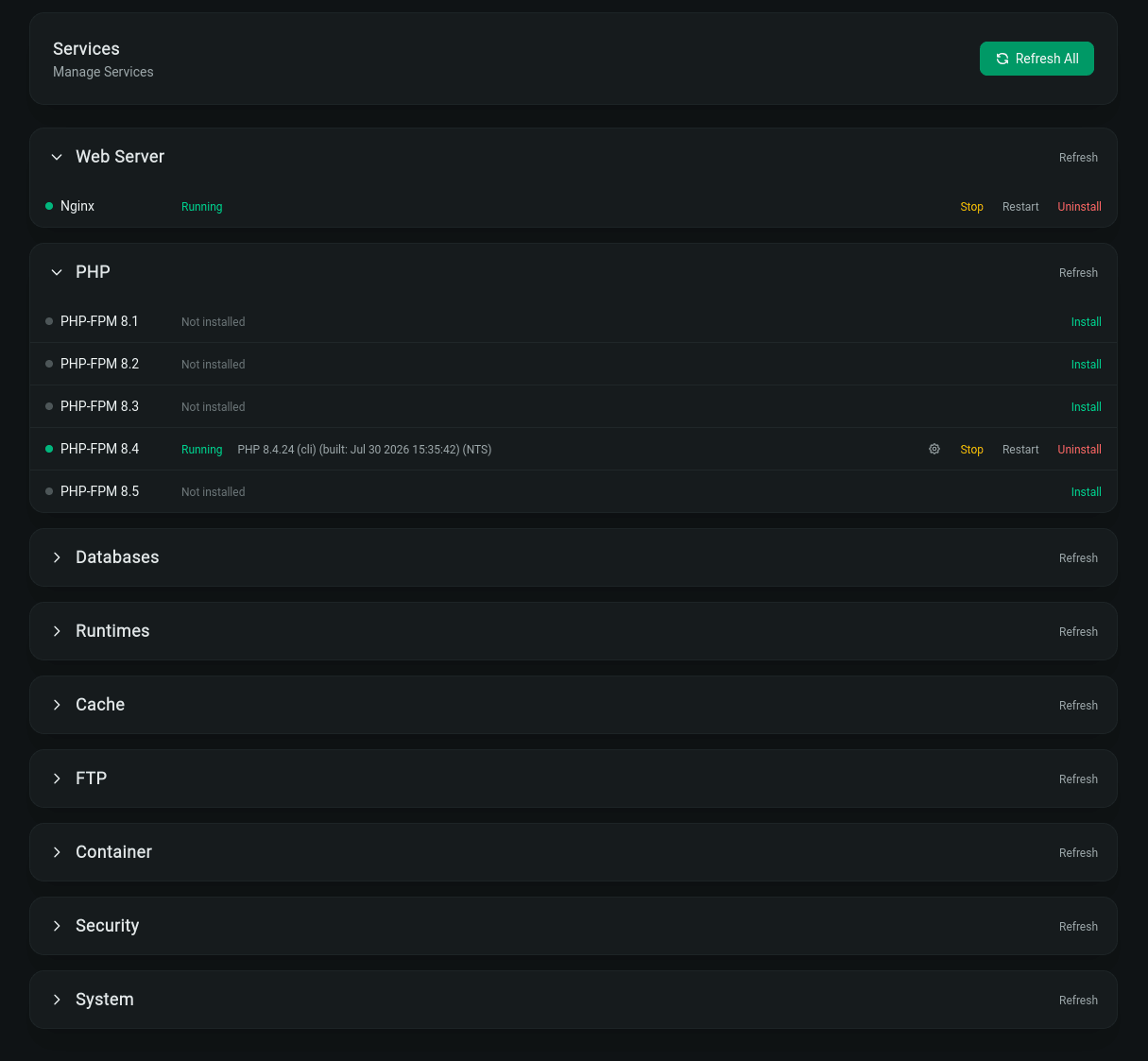
Overview
Services are grouped by type:
- Web Server - Nginx or Apache
- PHP - one entry per PHP version
- Databases - MariaDB, PostgreSQL
- Runtimes - language runtimes like Node.js or Python
- Cache - Redis and similar
- FTP - FTP
- Container - Docker
- Security - fail2ban and security services
- System - core system services like cron, ssh and dns
Each group is collapsible. Click the group name to expand or collapse it.
Service States
Every service is in one of two states:
- Running - the service is installed and active
- Stopped - the service is stopped
- Not installed - the service is not currently installed on the server
Running services show their version next to the name.
Actions
Each service has actions available depending on its state.
For Running Services
- Stop - stop the service. Websites or apps that depend on it will go offline until it is started again
- Restart - stop and start the service in one step. Use this after configuration changes
- Uninstall - remove the service from the server entirely
- Settings icon - if the service has options/config to update
For Not-Installed Services
- Install - download and install the service using the default configuration
Refresh
Each service group has a Refresh button to update its status. There is also a Refresh All button at the top of the page to refresh every group at once.
Use refresh after installing or making changes outside the panel, so the status reflects reality.
Notes
- Uninstalling a service does not delete the data it manages. Databases, website files, and configuration files stay on disk unless you remove them manually.
- Stopping a service is not permanent. It will not restart automatically on reboot unless you configure it to.
- Installs use the package versions available in your OS repositories. Keep your system updated to get security patches.
- If you enouncter start/restart/install issues, check the system logs.
Warning
Do not stop or uninstall services that websites or apps depend on without a plan. Stopping MariaDB, for example, takes every database-driven site offline until it is restarted.