
API
The API tab in Panel Settings controls whether the NexPanel API is available, how it is rate limited, and how API calls are logged. It is the admin-side configuration for the whole API.
Open Panel → Settings → API to access it.
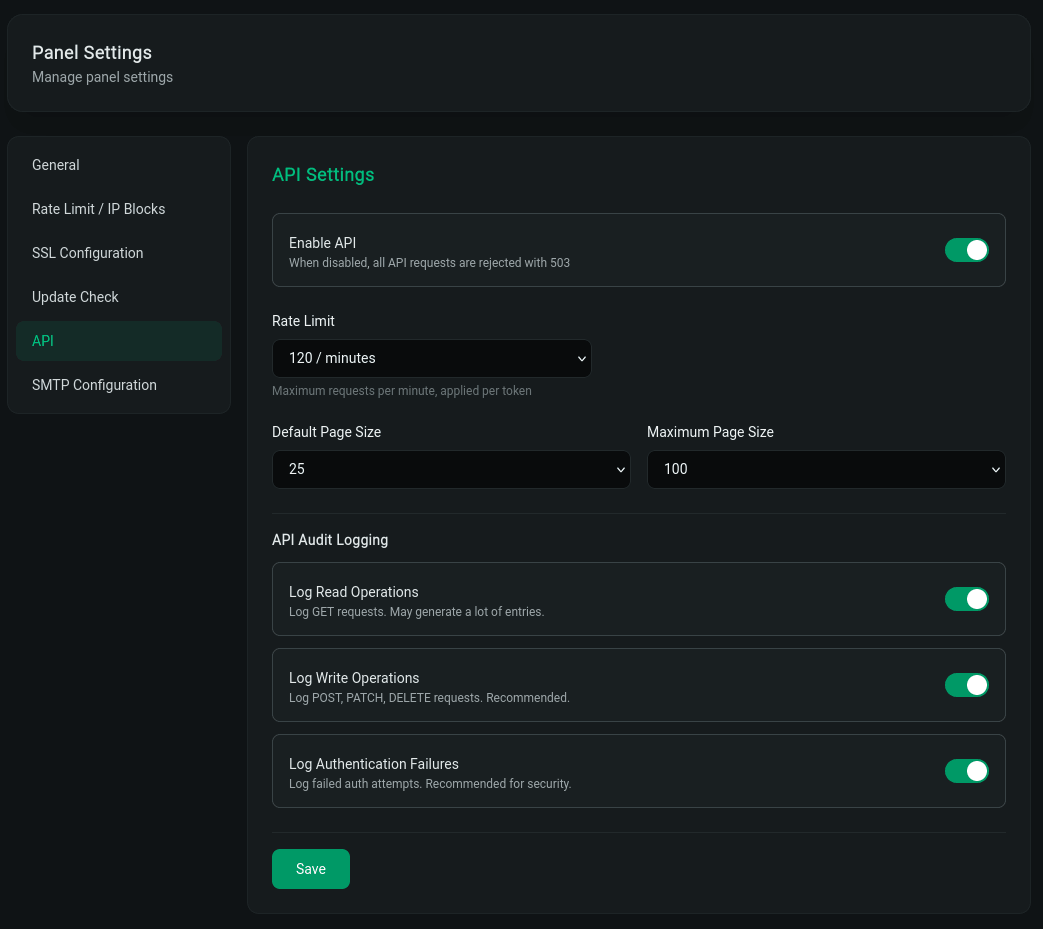
Enable API
A global switch. When on, API requests are accepted from any token with the right scopes. When off, every API request is rejected with a 503 Service Unavailable response, regardless of token validity.
Use this to turn off the API temporarily without revoking tokens. Useful during maintenance, or if you suspect a token has leaked but have not yet identified which one.
Rate Limit
The maximum number of requests per minute that a single token can make. Applied per token, not per IP or per user.
Options: 10, 15, 30, 60, 90, 120, 180, 300, 600 requests per minute.
When a token exceeds its limit, further requests return 429 Too Many Requests with a Retry-After header indicating how many seconds to wait.
Choose based on your use case:
- 10 to 30 for personal scripts
- 60 to 120 for normal automation
- 180 to 300 heavy CI pipelines, bulk sync jobs
- 600 dashboards, monitoring agents polling
If a token needs more throughput than the maximum, the integration itself should batch or cache requests rather than ask for a higher limit.
Default Page Size
The number of items returned per page when the client does not specify a limit parameter.
Options: 25, 50, 100.
Smaller defaults reduce response sizes for list endpoints. Larger defaults reduce the number of round trips. 25 is fine for most integrations.
Maximum Page Size
The largest value a client can request via the limit parameter. If a client asks for more than this, the API clamps the value to the maximum.
Options: 100, 150, 200.
Leave this at the default unless you have a specific integration that needs larger pages.
Audit Logging
Three toggles control what API activity is written to the panel audit log. All three are independent of the panel's general audit toggle.
Log Read Operations
When on, every GET request is logged. Useful for auditing access to sensitive data.
This generates a lot of entries. For an active integration calling list endpoints regularly, expect hundreds or thousands of audit log rows per day. Only enable it if you have a specific need.
Default: off.
Log Write Operations
When on, every POST, PATCH, PUT, and DELETE request is logged.
Recommended for all deployments. Write operations change state, and you want a record of who changed what and when.
Default: on.
Log Authentication Failures
When on, failed authentication attempts are logged with the source IP, the token prefix (if any), and the reason for rejection.
Recommended for security. Failures may indicate a leaked or revoked token still being used, or someone probing for valid tokens.
Default: on.
Saving
Click Save to apply changes. Most settings take effect immediately for the next request. The rate limit is recalculated on the next request from each token.
Note
Changing the Enable API toggle takes effect immediately. In-flight requests complete normally; new requests are rejected or accepted based on the new state.
Related
- API Usage - what the API is and how to use it
- API Tokens - create and manage tokens from the panel
- Authentication - how token auth works